Game guide · LZWEIDAO
Read before your next round of Kakuro
Kakuro gives you a focused activity to play in your browser. Complete a 4×4 sum grid with digits 1–9, no repeats in any row or column, and the displayed totals. Choose a clear next step rather than rushing through the instructions. Check the rule that explains your first action. Use the example below to understand a decision.
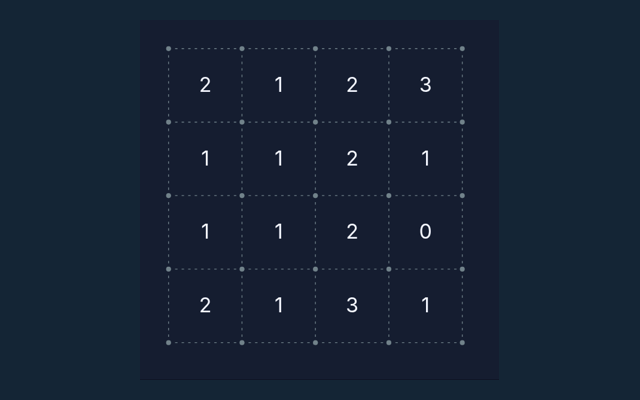
Practise sums on twelve small, unblocked 4×4 grids. These teaching boards use whole-row and whole-column totals rather than the blocked runs of classic Kakuro.
Take a closer look while playing
Locate the buttons and input area before beginning a long round. Use the on-screen labels to avoid an accidental restart. Notice the feedback after each input.
The challenge in front of you
Complete a 4×4 sum grid with digits 1–9, no repeats in any row or column, and the displayed totals. Use the instructions to see which actions move you towards it. Try to explain the aim in your own words.
A walkthrough of the rules
- Compare a row total with its fixed entries.
- Use the column total for the same blank.
- Enter digits 1–9.
- Check puzzle verifies totals and non-repetition.
Keyboard and screen controls
Click or tap squares or graph edges. Number boards include a digit pad. Undo reverses the previous change; Check puzzle validates the solution. On a smaller screen, keep the active part of the board within view. Make sure you are interacting with the game rather than the surrounding page.
See how the rules apply
A row total 18 with fixed values 2, 4 and 7 requires 5 in the remaining cell. Focus on why the action is allowed, not only its outcome. Read the matching step again.
A useful caution
Repeated digits in a run are forbidden even when the sum matches. Take a moment to reassess the position before continuing. Before your first action, say what you are trying to achieve. Then compare the result with the goal.
Answers about the rules and controls
For a quick reminder, what is the goal of Kakuro?
Keep this in mind: Complete a 4×4 sum grid with digits 1–9, no repeats in any row or column, and the displayed totals.
As a new player, how do I control Kakuro?
The key detail is this: Click or tap squares or graph edges. Number boards include a digit pad. Undo reverses the previous change; Check puzzle validates the solution.
While reading the Guide, what example helps explain Kakuro?
A row total 18 with fixed values 2, 4 and 7 requires 5 in the remaining cell.
For this browser game, what should I watch out for in Kakuro?
Here is the relevant explanation: Repeated digits in a run are forbidden even when the sum matches.
On this playing page, what format does Kakuro offer?
Keep this in mind: Practise sums on twelve small, unblocked 4×4 grids. These teaching boards use whole-row and whole-column totals rather than the blocked runs of classic Kakuro.
While reading the Guide, which play mode does Kakuro use?
The mode on this page is Solo. Same-device play uses one screen; this game library does not provide internet matchmaking.
For a quick reminder, where should I start with Kakuro?
The key detail is this: Compare a row total with its fixed entries.
While reading the Guide, do I need an account or a payment for Kakuro?
Keep this in mind: No player account or payment is needed. Game scores are recreational results, not cash prizes.
For my first round, how can I find Kakuro again?
Here is the relevant explanation: Use the Games list or save this game page in your browser bookmarks. The Guide is linked from the playing page.
While learning, how do I report an issue with Kakuro?
The key detail is this: Use the contact form and include the game name, browser, device and the actions that led to the issue. Do not send passwords or payment details.